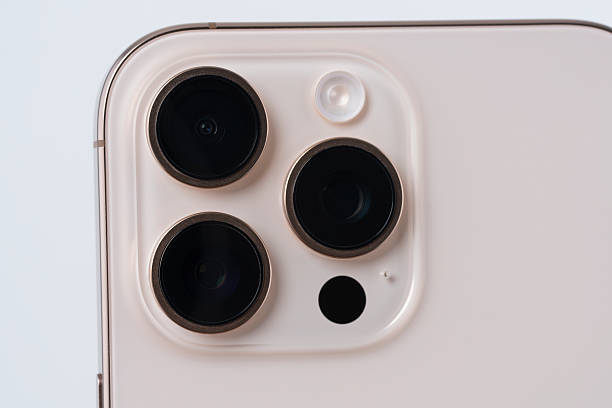
Smartphones have changed dramatically in 2026. The biggest improvements are no longer limited to faster processors, higher-resolution cameras or brighter displays. Increasingly, the most useful features are the ones that help your phone understand what you are doing and reduce the number of steps required to complete everyday tasks.
That includes summarizing documents, translating conversations, editing photographs, searching through information, drafting messages, transcribing recordings, organizing notes, screening calls and providing contextual assistance.
But not every phone marketed as an “AI phone” offers the same experience.
Some devices rely heavily on cloud services. Others perform selected tasks directly on the phone. Some focus on photography, while others concentrate on voice assistants, productivity or personalized recommendations.
For buyers in 2026, choosing the right device therefore requires looking beyond the processor name.
This guide examines the leading smartphones for intelligent features in 2026, including the Google Pixel 11 Pro XL, Samsung Galaxy S26 Ultra, iPhone 18 Pro Max and OnePlus 15, while explaining which types of users each device is best suited to.
Google’s Pixel 11 generation is built around Gemini Intelligence and the Tensor G6 processor, Samsung has expanded Galaxy AI across its S26 lineup, and Apple’s latest generation introduces a substantially upgraded Apple Intelligence and Siri experience.
The result is a smartphone market where the best choice depends less on having the longest feature list and more on how those features fit into your actual life.
Best AI Phones in 2026 at a Glance
| Phone | Main Strength | Best For | Key Intelligent Features |
|---|---|---|---|
| Google Pixel 11 Pro XL | Gemini integration | Smart assistance and photography | Gemini Intelligence, Magic Capture, transcription and contextual assistance |
| Samsung Galaxy S26 Ultra | Broad feature set | Productivity and everyday automation | Now Brief, AI Select, Call Screening, Photo Assist, Note Assist |
| iPhone 18 Pro Max | Ecosystem integration | Apple users and productivity | Siri AI, Apple Intelligence, contextual actions |
| Google Pixel 11 | Value-oriented smart features | Everyday users | Gemini, camera assistance, Magic Capture |
| OnePlus 15 | Performance | Power users and gamers | Intelligent software tools plus high-performance hardware |
| Galaxy S26 | Compact flagship experience | Users wanting Samsung features in a smaller phone | Galaxy AI, Call Screening, Writing Assist, Photo Assist |
1. Google Pixel 11 Pro XL
If your primary reason for upgrading is intelligent smartphone features, Google’s Pixel 11 family deserves serious attention.
Google designed the Pixel 11 lineup around Gemini Intelligence, with the Tensor G6 processor powering the latest Gemini Nano model. Google describes the new generation as providing more proactive and personalized assistance while also bringing major camera improvements.
That is important because Google’s strategy isn’t simply to put a chatbot on the phone.
The goal is to make intelligent assistance part of the operating system.
Why Pixel 11 Pro XL stands out
The Pixel approach is particularly interesting for people who use their smartphone as a personal productivity tool.
Google has introduced features including:
- Gemini-powered assistance
- Magic Capture
- Rambler voice transcription
- HiLight
- Camera improvements
- Personalized assistance
- Enhanced contextual interactions
Google says Magic Capture is designed to help capture fleeting moments, while Rambler provides voice transcription designed around natural speech.
This makes the Pixel particularly attractive to people who frequently work with information.
Example: A student
Imagine recording a long lecture.
Instead of manually replaying the recording several times, transcription tools can make it easier to turn spoken material into searchable text.
Now imagine photographing handwritten notes and then using software tools to organize or work with that information.
The value isn’t the technology itself.
The value is saving time.
2. Samsung Galaxy S26 Ultra
Samsung takes a different approach.
Rather than concentrating on one particular type of intelligent assistance, the Galaxy S26 Ultra offers a broad collection of tools covering communication, photography, productivity, documents and everyday phone management.
Samsung describes the S26 generation as its third-generation AI phone and says its latest features are designed to reduce the number of steps needed to complete everyday tasks.
Among the available features are:
- AI Select
- Call Screening
- Intelligent Document Scanner
- Creative Studio
- Writing Assist
- Interpreter
- Note Assist
- Transcript Assist
- Browsing Assist
- Photo Assist
- Audio Eraser
- Now Brief
- Bixby natural-language controls
Samsung’s support documentation confirms this broad feature set.
AI Select is particularly practical
One of Samsung’s more useful ideas is AI Select.
The feature can recognize content on your screen and provide relevant actions.
For example, you could select part of a screenshot containing text, an object or another piece of information and then perform actions based on what was identified.
This is an example of intelligent software that can reduce friction.
Instead of:
- Take screenshot.
- Open another application.
- Crop the image.
- Copy information.
- Search manually.
You may be able to complete several of those steps directly from the original screen.
That is where Samsung’s approach becomes useful.
3. iPhone 18 Pro Max
Apple’s latest generation takes a more ecosystem-focused approach.
Apple announced its next generation of Apple Intelligence and a substantially redesigned Siri experience in 2026.
The company says Siri can use personal context to work across messages, emails, photos and other information, while also performing actions across apps. Apple also introduced a dedicated Siri app for conversations and history synchronized through iCloud.
That creates a fundamentally different experience from simply opening an assistant application.
Siri becomes more contextual
Consider a practical situation.
You receive a message asking:
“Are you free Saturday afternoon?”
Instead of simply dictating a response, a more contextual assistant can potentially look at relevant information such as your calendar and help determine the appropriate response.
Apple’s stated direction is to make Siri understand more about the user’s personal context and interact with applications at a system level.
For people already invested in Apple products, this could be particularly valuable.
What Makes Apple’s Approach Different?
Apple emphasizes privacy and integration.
The company says its next-generation architecture is designed around privacy while integrating intelligence throughout its ecosystem.
That ecosystem includes:
- iPhone
- iPad
- Mac
- Apple Watch
- Apple Vision Pro
For someone who owns several Apple products, contextual assistance becomes more useful because information can move between devices.
Example: A business professional
Imagine writing an email on a Mac, checking your calendar on an iPhone and receiving a message on an Apple Watch.
A tightly integrated ecosystem can reduce the need to manually move information between devices.
That is one of Apple’s biggest advantages.
4. Google Pixel 11
You don’t necessarily need the most expensive Pixel to access Google’s latest intelligent features.
Google launched the Pixel 11, Pixel 11 Pro, Pixel 11 Pro XL and Pixel 11 Pro Fold as a family designed around Gemini Intelligence. The company says the phones use Tensor G6 and include major camera improvements.
The standard Pixel 11 is therefore worth considering for buyers who want Google’s software experience without necessarily paying for the largest Pro model.
Google’s strategy is especially attractive if you already use:
- Gmail
- Google Photos
- Google Drive
- Google Calendar
- Google Maps
- YouTube
- Google Workspace
The closer your daily workflow is to Google’s ecosystem, the more naturally the phone can fit into your routine.
5. OnePlus 15
OnePlus is not as strongly identified with intelligent software features as Google, Samsung or Apple.
Its flagship strategy is more heavily centered on:
- Performance
- Display technology
- Gaming
- Battery life
- Fast charging
- Android customization
The OnePlus 15 is therefore an interesting alternative for someone who wants powerful hardware but does not make intelligent software features the number-one reason for buying a phone.
This distinction matters.
A phone can have excellent intelligent capabilities but still be the wrong device for a heavy gamer who prioritizes sustained performance and battery life.
Conversely, a business user may benefit more from transcription, summarization and contextual assistance than from a higher gaming refresh rate.
Best Phones for AI Features: Detailed Comparison
| Category | Pixel 11 Pro XL | Galaxy S26 Ultra | iPhone 18 Pro Max | OnePlus 15 |
|---|---|---|---|---|
| Assistant ecosystem | Gemini | Galaxy AI + Bixby | Apple Intelligence + Siri | Android ecosystem |
| Personal context | Strong Google integration | Strong Samsung integration | Strong Apple ecosystem integration | More general Android integration |
| Photo editing | Extensive | Extensive | Advanced Apple tools | Strong |
| Transcription | Yes | Yes | Yes | Depends on software/app |
| Call assistance | Available through Google’s ecosystem | Extensive Call Screening features | Apple communication tools | Varies |
| Document assistance | Strong | Strong | Strong | App-dependent |
| Productivity | Excellent | Excellent | Excellent | Good |
| Customization | High | High | More controlled | High |
| Ecosystem | Samsung | Apple | Android | |
| Gaming focus | Strong | Strong | Strong | Very strong |
| Best suited to | Google users | Feature-heavy power users | Apple users | Performance-focused users |
What Should You Look for in an AI Phone?
The biggest mistake buyers make is counting features.
A phone may advertise 20 intelligent functions.
You might use only three.
The better approach is to examine usefulness, availability and reliability.
Here are the most important factors.
1. On-Device Processing
Some tasks can happen directly on the phone.
Others require an internet connection and cloud processing.
Samsung explicitly distinguishes between on-device and cloud-based processing for its Galaxy AI functions. Samsung says users can control whether certain functions use cloud processing through the relevant settings.
Why does this matter?
Speed
On-device processing can reduce dependence on network conditions for supported tasks.
Privacy
Sensitive information may be handled differently depending on whether processing happens locally or remotely.
Offline use
Some locally processed features can continue working without an active internet connection.
However, not every function works offline.
That’s why buyers should check the specific feature rather than assuming the entire phone operates independently of cloud services.
2. Language Support
This is especially important for international buyers.
A feature may exist but not support your preferred language.
Samsung notes that feature availability and supported languages can vary by country, region, carrier and application. Samsung also reports that some Galaxy AI features support dozens of languages, while individual features can have narrower language availability.
Google and Apple also limit certain features by region, language or account eligibility.
Therefore, before buying a phone for a specific capability, verify:
- Your country
- Your language
- Your carrier
- Your account type
- Whether the feature requires a subscription
This is particularly important if you’re buying a phone in a market different from where it was originally launched.
3. Privacy Controls
Intelligent features often work with personal information.
That can include:
- Messages
- Photos
- Documents
- Voice recordings
- Calendar information
- Contacts
- Location
- Browsing information
A good phone should provide clear controls over how that information is processed.
Samsung, for example, provides a setting allowing users to limit certain Galaxy AI processing to the device.
Apple emphasizes privacy in its Apple Intelligence architecture, while Google describes its Pixel experience as personalized and integrated into the device ecosystem.
Before activating these features, review their permissions.
Convenience should not mean giving every application unrestricted access to your personal information.
4. Camera Intelligence
Modern smartphone photography increasingly depends on computational processing.
This can improve:
- Low-light photographs
- Portraits
- Object removal
- Noise reduction
- Image sharpening
- HDR
- Video stabilization
- Subject recognition
Google’s Pixel 11 generation includes new camera experiences such as Magic Capture and additional photography tools.
Samsung provides Photo Assist and Creative Studio, including tools for editing images and generating or transforming visual content.
Apple’s latest generation also integrates intelligent tools into Photos and other applications.
The practical lesson is simple:
Don’t judge a smartphone camera only by megapixels.
Software processing can have an enormous impact on the final photograph.
5. Voice Transcription
Voice transcription is one of the most useful applications for students and professionals.
Imagine attending a one-hour meeting.
Instead of relying entirely on handwritten notes, you can record and transcribe the discussion where supported.
This can be useful for:
- Meetings
- Interviews
- Lectures
- Brainstorming sessions
- Personal notes
- Research
Google’s Pixel 11 lineup includes Rambler, which Google describes as a transcription feature designed around natural speech.
Samsung offers Transcript Assist as part of its Galaxy AI toolkit.
The important limitation is accuracy.
Transcription can make mistakes, particularly with:
- Strong accents
- Background noise
- Multiple speakers
- Technical terminology
- Poor recordings
Never treat an automatically generated transcript as infallible when the information is important.
6. Call Screening and Translation
Call-related assistance can have immediate practical value.
Samsung’s Galaxy S26 includes Call Screening, which can provide a transcription of a caller’s reason for calling and help users determine whether to answer. Samsung also provides live translation and interpretation features.
These features can be useful for people who receive many unknown calls.
Imagine running a small business.
You receive several calls while working.
Instead of stopping everything to answer each unknown number, call-screening tools can provide additional context.
That’s a practical productivity benefit-not merely a technological demonstration.
7. Document Intelligence
Another increasingly useful category is document processing.
Samsung’s Intelligent Document Scanner can detect document edges, adjust orientation and improve readability.
This can be useful for:
- Receipts
- Invoices
- Forms
- Contracts
- School notes
- Business documents
For a small-business owner, this can turn a smartphone into a more capable document-management tool.
Best AI Phone for Students
For students, the most useful features are usually:
- Transcription
- Summarization
- Research assistance
- Note organization
- Translation
- Camera scanning
- Battery life
The Pixel 11 family is particularly interesting because Google’s ecosystem is closely connected to Gemini and productivity services.
Samsung is also strong for students who frequently work with documents, notes and translations.
Practical strategy
Don’t simply use intelligent tools to generate answers.
Use them to:
- Explain difficult concepts
- Summarize your own notes
- Create practice questions
- Identify gaps in understanding
- Convert recordings into study material
The best use is often learning assistance rather than replacing learning.
Best AI Phone for Business Professionals
Business users have different requirements.
They often need:
- Email assistance
- Calendar integration
- Meeting transcription
- Document scanning
- Translation
- Call management
- Writing assistance
- File organization
Samsung’s broad set of productivity tools makes the Galaxy S26 Ultra particularly interesting for professionals. Samsung provides Writing Assist, Note Assist, Transcript Assist, Call Assist and document-scanning capabilities.
Apple is particularly compelling for professionals already using Mac, iPad and Apple Watch.
Google is attractive for professionals heavily invested in Google Workspace.
Best AI Phone for Photographers
Photography is arguably Google’s strongest area.
Pixel devices have long relied heavily on computational photography, and the Pixel 11 generation introduces major camera upgrades alongside Gemini-focused features.
Samsung is also highly competitive, particularly for users who want extensive editing tools.
The Galaxy S26’s Photo Assist and Creative Studio offer multiple ways to modify and create visual content.
Apple is particularly interesting for people who care about a combination of photography, video and ecosystem integration.
Best AI Phone for Privacy-Conscious Users
There is no simple universal answer.
Privacy depends on:
- What information is collected
- Where processing happens
- Which permissions are granted
- Whether processing is local or cloud-based
- How accounts are configured
- What third-party applications are installed
Apple places privacy at the center of its Apple Intelligence architecture.
Samsung provides controls for cloud-based processing.
Google similarly builds its intelligent features into its Pixel hardware and software ecosystem.
The right approach is to compare the specific privacy controls of the feature you plan to use, rather than relying on a company’s overall reputation.
Best AI Phone for Content Creators
Creators should evaluate more than text-generation features.
A good creator phone should combine:
- Camera quality
- Video quality
- Editing tools
- Storage
- Battery life
- Processing power
- Microphone quality
- Social-media performance
Pixel’s photography features make it attractive for image-focused creators.
Samsung’s editing tools are useful for creators who want to modify images directly on the phone.
Apple’s ecosystem can be particularly useful for creators who transfer material between iPhone, iPad and Mac.
Don’t Ignore Hardware
Intelligent software gets most of the attention, but the underlying hardware remains important.
Look at:
Processor
A capable processor helps with both local processing and general phone performance.
RAM
More demanding applications can benefit from additional memory.
Storage
Photos, videos and downloaded content can consume storage surprisingly quickly.
Battery
Advanced features can consume additional power, particularly when using cameras, voice processing or high-performance applications.
Cooling
Sustained performance matters for long workloads.
A phone with impressive short-term performance can behave differently after 30 minutes of demanding use.
How to Choose the Right Phone in 2026
Use this five-step process before buying.
Step 1: Identify your three most important tasks
Don’t start with specifications.
Start with what you actually do.
For example:
- Photography
- Business communication
- Gaming
or:
- Studying
- Writing
- Translation
Your priorities determine which features matter.
Step 2: Check regional availability
A feature available in the United States may not necessarily be available in every country.
Samsung explicitly notes that availability can vary by country, language, carrier and app.
Check your local market before paying for a feature you may not be able to use.
Step 3: Check subscription requirements
Some advanced services can have usage limits or subscription requirements.
Google specifically notes that Pixel 11 features can vary by country and language and that some features may require a subscription for higher usage.
Step 4: Test the features you actually need
If possible, visit a physical retailer.
Try:
- Voice transcription
- Camera editing
- Translation
- Assistant commands
- Document scanning
A feature that looks impressive in an advertisement may be less useful in practice.
Step 5: Consider long-term support
A smartphone isn’t a one-year purchase for many people.
Consider how long the manufacturer will provide:
- Security updates
- Operating-system updates
- Feature updates
- Replacement parts
- Customer support
This can have a greater effect on ownership value than a small difference in processor speed.
Common Mistakes When Buying an AI Phone
Mistake 1: Buying because of the word “AI”
The label itself tells you very little.
Ask what the phone can actually do.
Mistake 2: Assuming every feature works offline
Many intelligent functions depend on cloud processing or an internet connection.
Mistake 3: Ignoring language support
A feature may not support your preferred language.
Mistake 4: Assuming generated information is always correct
Intelligent systems can make mistakes.
Important information should be verified.
Mistake 5: Paying for features you won’t use
If you never transcribe meetings, an expensive transcription feature may not justify paying more.
The Future of AI Smartphones
The smartphone industry is moving toward increasingly proactive devices.
Instead of waiting for users to open an application, future phones are likely to become better at understanding context.
That could mean:
- More intelligent notifications
- Better travel assistance
- More personalized reminders
- Smarter document organization
- Improved translation
- More capable voice interaction
- Better photo organization
- More natural communication with applications
Samsung is already describing its Galaxy AI direction as increasingly proactive and adaptive.
Google is similarly positioning Pixel around personalized Gemini Intelligence.
Apple’s new Siri architecture is designed around personal context and system-wide actions.
The competition is therefore shifting from simply making phones faster to making them more useful assistants in everyday life.
Frequently Asked Questions
1. What is the best AI phone in 2026?
There isn’t one phone that is best for every user. The Pixel 11 Pro XL is particularly focused on Gemini-powered assistance, the Galaxy S26 Ultra offers a very broad set of productivity and communication tools, while the iPhone 18 Pro Max emphasizes Apple Intelligence, Siri and ecosystem integration.
2. Which phone has the best AI features for photography?
Google Pixel and Samsung Galaxy devices are particularly strong choices for users interested in computational photography and built-in editing tools. Pixel 11 introduces new camera experiences, while Samsung provides Photo Assist and Creative Studio.
3. Is Samsung Galaxy S26 good for productivity?
Yes. Samsung provides tools including Writing Assist, Note Assist, Transcript Assist, Intelligent Document Scanner, Call Screening and Now Brief. Feature availability can vary by region, language and application.
4. Does Pixel 11 use Gemini?
Yes. Google designed the Pixel 11 generation around Gemini Intelligence, and its Tensor G6 processor runs the latest Gemini Nano model.
5. Does the iPhone 18 have AI features?
Apple’s iPhone 18 generation includes Apple’s latest Apple Intelligence and Siri capabilities on supported models. Apple says the new Siri can use personal context and perform actions across applications.
6. Do AI phone features require internet access?
Some features can run on the device, while others depend on cloud processing. Samsung explicitly distinguishes between on-device and cloud-based Galaxy AI functions. Availability and processing requirements vary by feature.